
Basic First Aid#
These suggestions, while more of a shotgun approach, tend to fix the majority of reported issues just on their own.
Recommended troubleshooting steps#
Restart Spyder, and try what you were doing before again.
Upgrade Spyder to the latest release, and you might find your issue is resolved (along with new features, enhancements, and other bug fixes). Bugfix releases come out every month or two, so unless you’ve updated recently, there is a good chance your version isn’t the latest. You can find out with the Check for updates command under the Help menu.
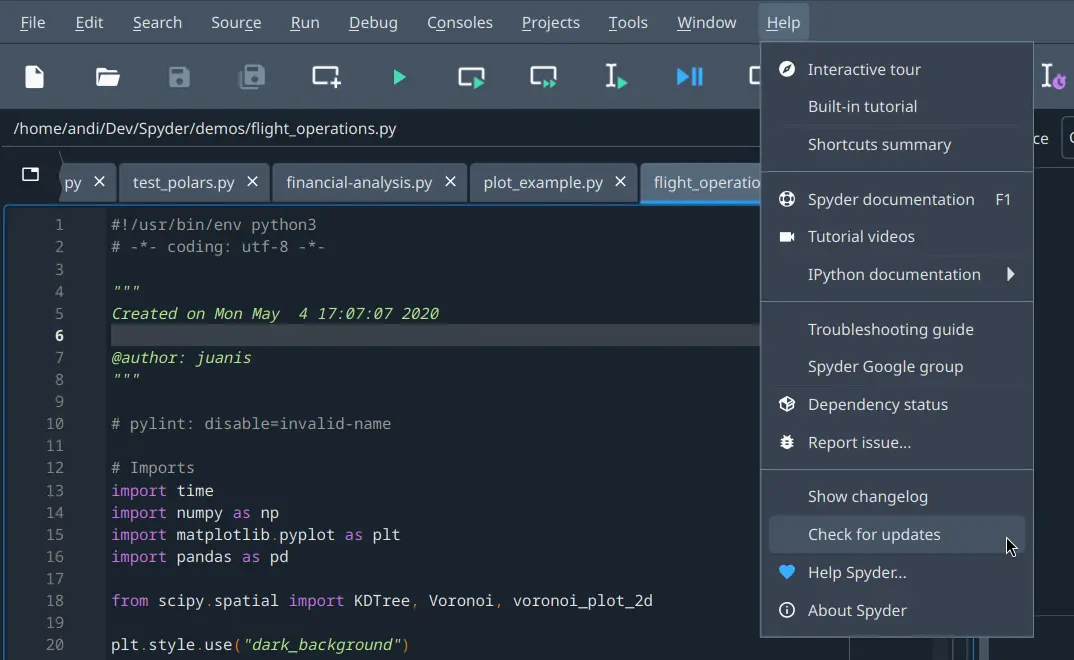
Recent versions of Spyder using our recommended Standalone installers will offer to automatically update themselves for you. If using an older version of Spyder or a non-standalone build (e.g. installed with Pip or Conda), we recommend downloading and running our latest Standalone installers.
To perform the update with Conda, see the FAQ Q: How do I update Spyder using conda?; to update with Pip use
pip install --ugprade spyder. If that still doesn’t work, we recommend updating Spyder’s dependencies and environment, either by installing the latest version of Anaconda/Miniconda/Miniforge, or with the relevant “update all” command in your terminal (or Anaconda Prompt on Windows).To get the latest stable version of everything using Conda, you can run:
conda update spyder qt pyqt spyder-kernels ipython ipykernel jupyter_client jupyter_core pyzmq
Or with Pip:
pip install --upgrade --upgrade-strategy "eager" spyder spyder-kernels ipython ipykernel jupyter_client jupyter_core pyzmq traitlets
Restart your machine, in case the problem lies with a lingering process or another such issue.
Restore Spyder’s config files to their defaults, which solves a huge variety of Spyder issues. From your terminal (or Anaconda Prompt on Windows), run:
spyder --resetNote
This will reset your preferences, as well as any custom keyboard shortcuts or syntax highlighting schemes. If you particularly care about any of those, you should make a copy of the
.spyder-py3folder in your user home directory (C:/Users/YOUR_USERNAMEon Windows,/Users/YOUR_USERNAMEon macOS, or/home/YOUR_USERNAMEon Linux), and restore it afterwards if this doesn’t solve the problem.Try reinstalling Spyder via our Standalone installers (recommended), or in a fresh Conda/virtual environment, and see if the issue reoccurs.
If using Conda to install Spyder (only recommended for advanced users needing plugin support), in your system terminal (or Anaconda Prompt on Windows), run the following commands to create a clean environment and start Spyder in it:
conda create -y -n spyder-env spyder numpy scipy pandas matplotlib cython sympy
conda activate spyder-env
spyder
If this fixes the issue, the problem was likely due to another package installed on your system, particularly if done with pip, which can cause many problems and should be avoided if at all possible.
Watch our video on solving and avoiding problems with pip, Conda and Conda-Forge, and follow its instructions.
Reinstalling Spyder#
If none of the previous steps solve your issue, you should do a full uninstall of Spyder by whatever means you originally installed it.
For Spyder’s standalone installers, the uninstall mechanism varies depending on your operating system. On Windows, it can be removed via the entry under Add or remove programs.
For Anaconda/Miniconda, follow all the steps under Anaconda uninstall guide/Miniconda uninstall guide.
For Miniforge, follow the Miniforge uninstall instructions on macOS/Linux or remove it from Add or remove programs on Windows.
Then, delete the Anaconda/Miniconda/Miniforge directory wherever it was originally installed, and (on Windows) remove the %AppData%/Python directory if it exists.
Finally, do a clean install of the latest version of our Standalone installers, which is how we recommend you install Spyder and keep it up to date.
Important
While you are welcome to get Spyder working on your own by one of the many other means we offer, we are only normally able to provide individual support for user-specific install issues related to our Standalone installers. In particular, managing your own installation via Conda or Pip can be easy to break, as there are many pitfalls involved and different issues specific to your setup, which is why we recommend using our standalone installers whenever possible. For further information, please visit our Install Guide.
Isolating problems#
If you get an error while running a specific line, block, or script/program, it may not be an issue with Spyder, but rather something lower down in the packages it depends on. Try running it in the following in order if and until it starts working as you expect. If you manage to isolate the bug, report it to the last one it doesn’t work in.
Spyder itself, of course! Make sure you can reproduce the error after closing and reopening it, if possible.
A bare QtConsole instance, e.g. launched from the system terminal (Anaconda Prompt, on Windows) with
jupyter qtconsole.QtConsole is the GUI console backend Spyder depends on to run its code, so most issues involving Spyder’s IPython Console usually have something to do with QtConsole instead, and can be reported to the QtConsole issue tracker.
An IPython command line shell, launched with e.g.
ipythonfrom system terminal (Anaconda Prompt, on Windows). Reproducible bugs can be reported to the IPython issue tracker, though make sure to read their guidelines and docs first.A standard Python interpreter, either run as a script file with
python path/to/your/file.pyor launched interactively withpythonfrom your system terminal (Anaconda Prompt, on Windows). While it is not impossible that you’ve found a Python bug, it is much more likely to be an issue with the code itself or a package you are using, so your best sources are the Python docs and the other resources listed above.
Tip
If the problem reoccurs in a similar or identical way with any of these methods (other than only Spyder itself), then it is almost certainly not an issue with Spyder, and would be best handled elsewhere. As we usually aren’t able to do much about issues not related to Spyder, a forum like Stack Overflow or the relevant package’s docs is a much better place to get help or report the issue.
See the Calling for Help section for other places to look for information and assistance.
Debugging and patching#
If you know your way around Python, you can often diagnose and even fix Spyder issues yourself, since the IDE is written in the same language you use in it. You can explore the error messages you’re receiving and Spyder’s inner workings with the Internal Console, available under the menu item .
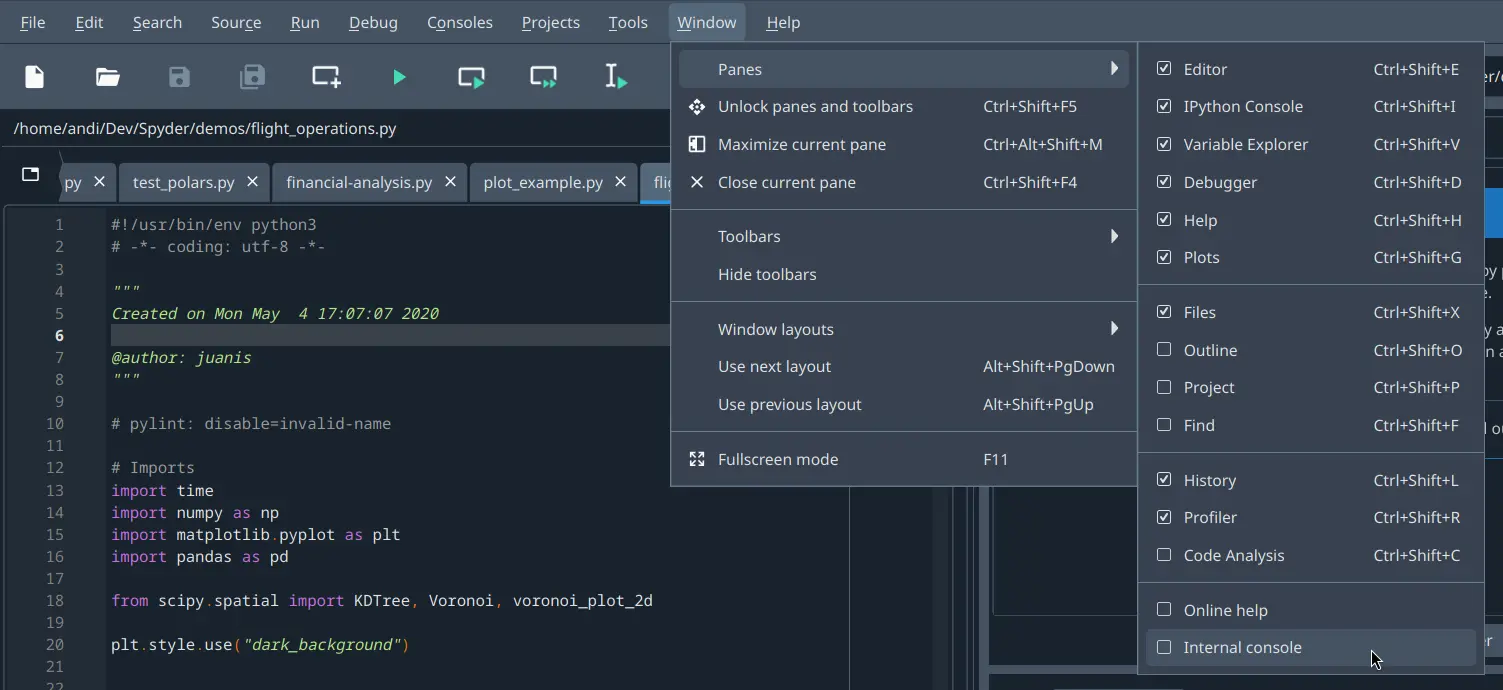
For more detailed debug output, start Spyder from the command line (Anaconda Prompt on Windows) with spyder --debug-info verbose.
Even if you don’t manage to fix the problem yourself, this output can be very helpful in aiding us to quickly narrow down and solve your issue for you.