
Problemas comunes#
Más allá de los pasos generales de la solución de problemas, algunos problemas reportados con frecuencia requieren soluciones más especializadas.
Errores al iniciar el núcleo#
If you receive the message An error occurred while starting the kernel in the Terminal de IPython, Spyder was unable to launch a new Python interpreter in the current working environment to run your code.
There are a number of problems that can cause this, but most can be fixed fairly quickly with a few easy steps.
Spyder-Kernels no está instalado o es incompatible#
Spyder requiere que una versión compatible del paquete spyder-kernels esté presente en el entorno de trabajo en el que deseas ejecutar tu consola.
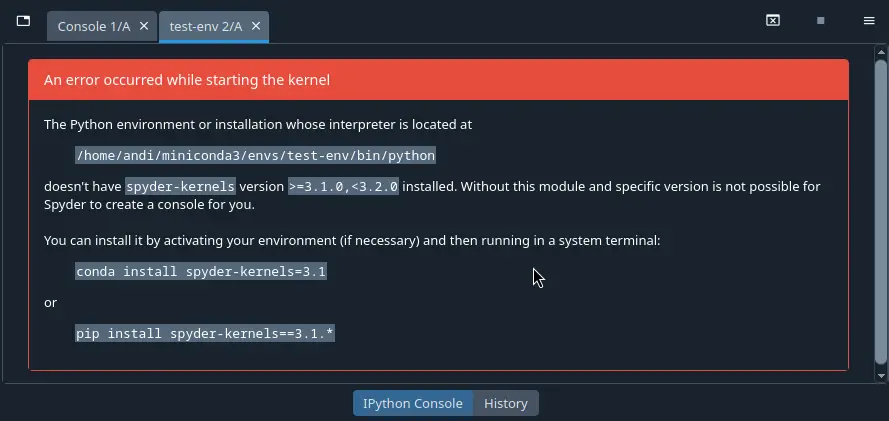
It is included by default in Spyder’s own runtime environment, but if you want to run your code in your own Python environment or installation, you’ll need to make sure it’s installed and updated to the latest version.
To do so, open a system terminal, activate the Conda or virtual environment you want to use Spyder with, and then copy and paste the command Spyder generates for you (the conda command if in a Conda environment, or pip otherwise).
Spyder 6.2+ will offer to update your Spyder-Kernels version automatically, if using Spyder through our recommended Instaladores independientes.
Problemas con otra dependencia#
Si el núcleo muestra un seguimiento de errores largo que menciona otros paquetes como ipython, ipykernel, jupyter_client, traitlets o pyzmq, el problema puede ser una versión desactualizada o incompatible de un paquete de dependencias. Para arreglar esto, activa el entorno y actualiza las dependencias clave.
In a Conda environment:
conda activate ENVIRONMENT-NAME  # Replace with the name of your desired environment
conda update spyder-kernels ipython ipykernel jupyter_client jupyter_core pyzmq traitlets
De lo contrario, activa tu entorno por el medio que lo hayas creado, y ejecuta:
pip install --upgrade --upgrade-strategy "eager" spyder-kernels ipython ipykernel jupyter_client jupyter_core pyzmq traitlets
El autocompletado o la ayuda no funcionan#
To provide code completions, help and real-time analysis in the Editor, Spyder uses the Python LSP Server (PyLSP), an implementation of the same Language Server Protocol specification supported by VSCode, Neovim and other popular editors/IDEs. Most help and completion issues lie outside of Spyder’s control, and are either limitations with PyLSP or the code that is being introspected, but some can be worked around.
Docstring faltante de un objeto#
Si no se muestra nada en el calltip, las sugerencias al pasar el cursor o en el panel de ayuda, es posible que el objeto al que estás intentando realizar una introspección no tenga un docstring.
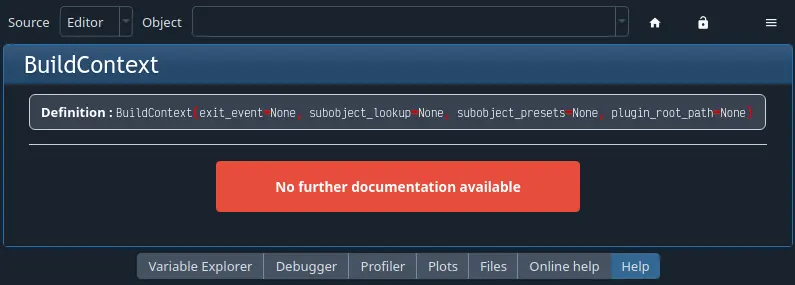
En este caso, la única solución es añadir uno en el código fuente de la función original, método o clase.
El objeto no puede ser encontrado#
Algunos objetos, ya sea por estar escritos en C, Cython u otro idioma; por ser generados dinámicamente en tiempo de ejecución; o por ser un método de un objeto que creaste, no se pueden encontrar fácilmente sin ejecutar el código.
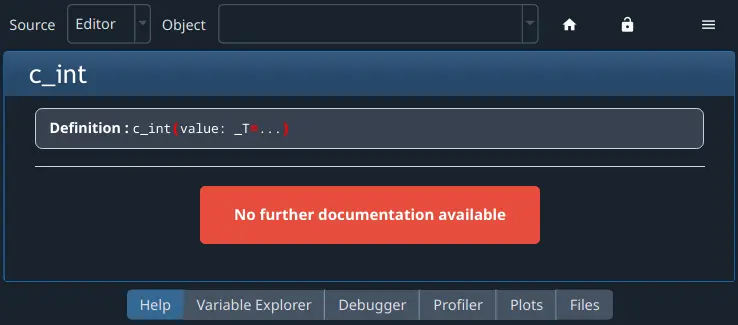
However, once you run your code in the Terminal de IPython, you might be able to get help and completions on the object there.
El LSP ha dejado de funcionar#
Occasionally, especially after using Spyder for a while, code completion, help and analysis may stop working. If this is the case, you can check LSP status with the LSP: Python item in Spyder’s status bar at the bottom of the screen, and restart it by right-clicking it and selecting the Restart Python Language Server item.

Error de Spyder debido a problemas con sus dependencias#
Dada la variedad de dependencias involucradas en hacer que el LSP funcione, una versión incompatible o desactualizada de tu entorno puede resultar en mensajes de error, resultados incompletos o ayuda/análisis que no funcionen en absoluto.
To address this, try updating Spyder as described in Primera ayuda básica.
Problemas de plugin#
El plugin no funciona en absoluto#
If you have installed a Spyder plugin, but you can’t see it, go to the Panes submenu of the Window menu and select the plugin’s name, which should make it visible if it contains a standalone pane. If you don’t see the plugin there, select the Plugins section under Spyder’s Preferences and see if it is listed there.
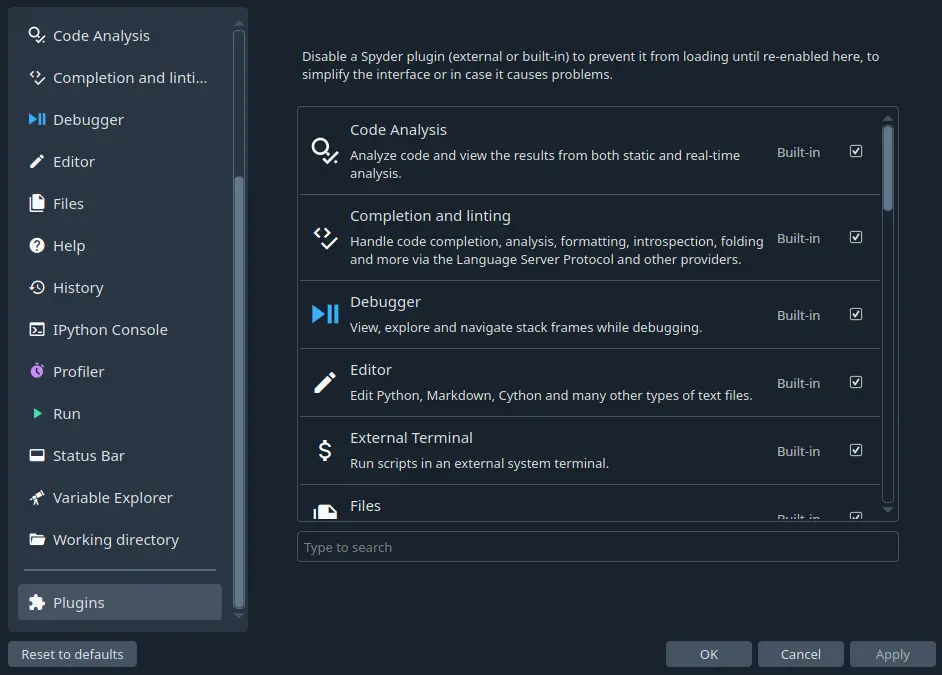
If the plugin with the problem is not listed in the Plugins Preferences section, check that you installed it in the same environment as Spyder.
If you have, then the problem may well be caused by a dependency issue.
Test whether you can import the plug-in manually by opening a Python console in the same environment as Spyder and typing, for instance, import spyder_unittest to test the Spyder-Unittest plug-in; this command should run without errors.
Si nada de esto te ayuda a resolver el problema, entonces continúa a la siguiente sección.
Otros problemas#
Si obtienes un error que mencione o involucra un plugin de Spyder, como spyder-unittest, spyder-terminal o spyder-notebook, o si encuentras cualquier otro problema con un plugin de Spyder, entonces el primer enfoque debe ser actualizar Spyder y el plugin a sus últimas versiones.
Si esto no soluciona el problema, deberías comprobar el sitio web o repositorio del plugin para ver si es compatible con tu versión de Spyder.
Finalmente, si la compatibilidad no parece ser el problema, por favor, comprueba esos repositorios para ver si ya se ha abierto un problema e infórmalo allí si no es así.